Configurable lead times
Choose milestones such as 30, 14, 7, or 1 day before calibration is due, plus the due date itself.
Calibration due-date reminders
Give your quality team a shared queue and configurable email reminders before instruments become overdue or unavailable.
14 days free. No credit card. About two minutes to get started.
Bring the CSV or XLSX register you already have. No sales call, implementation fee, or desktop install.
See the complete calibration management workflow →See the work that matters
Start with your register, see what is due, and keep the calibration history and certificate with each instrument.
Before an instrument becomes overdue
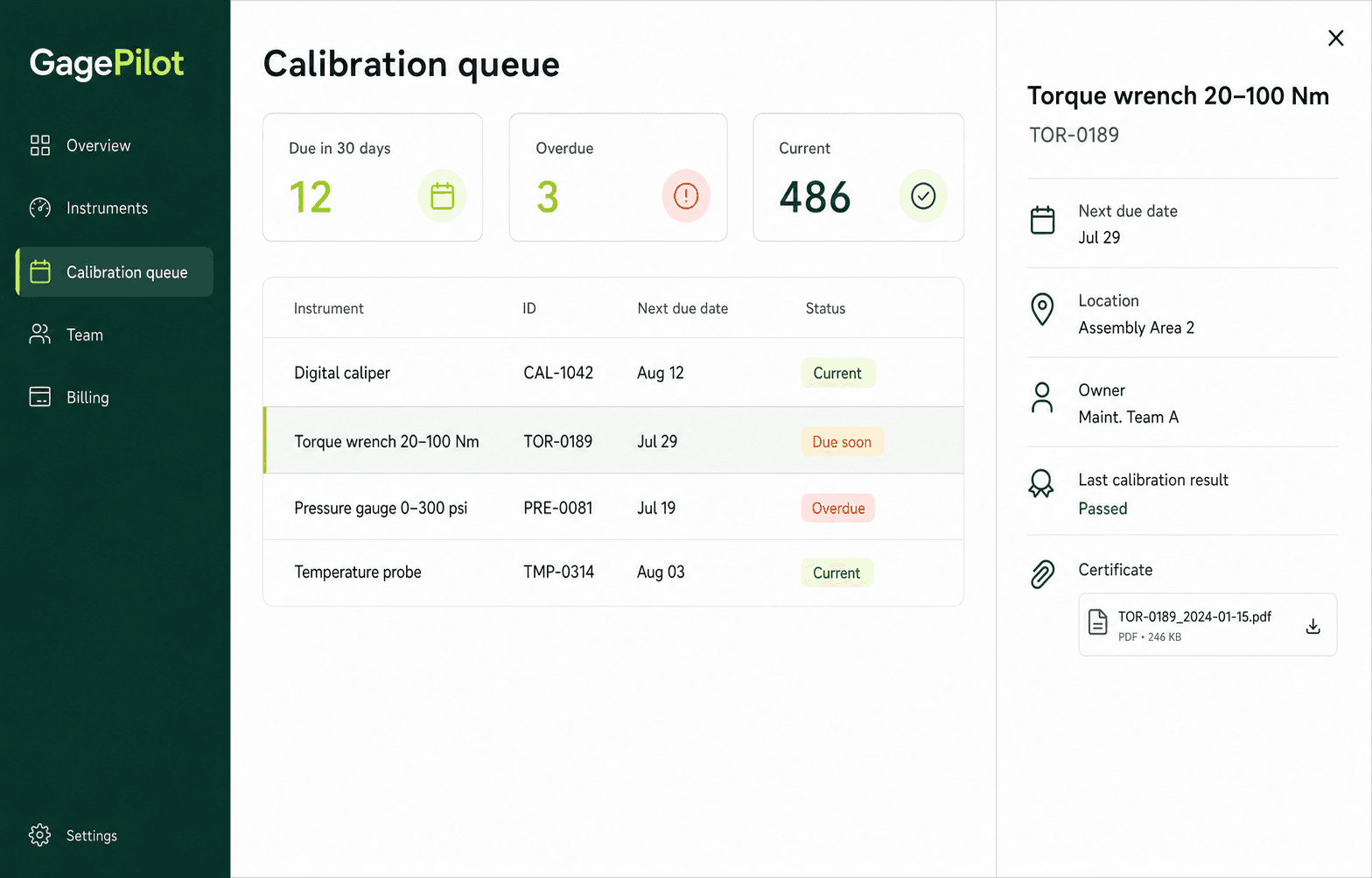
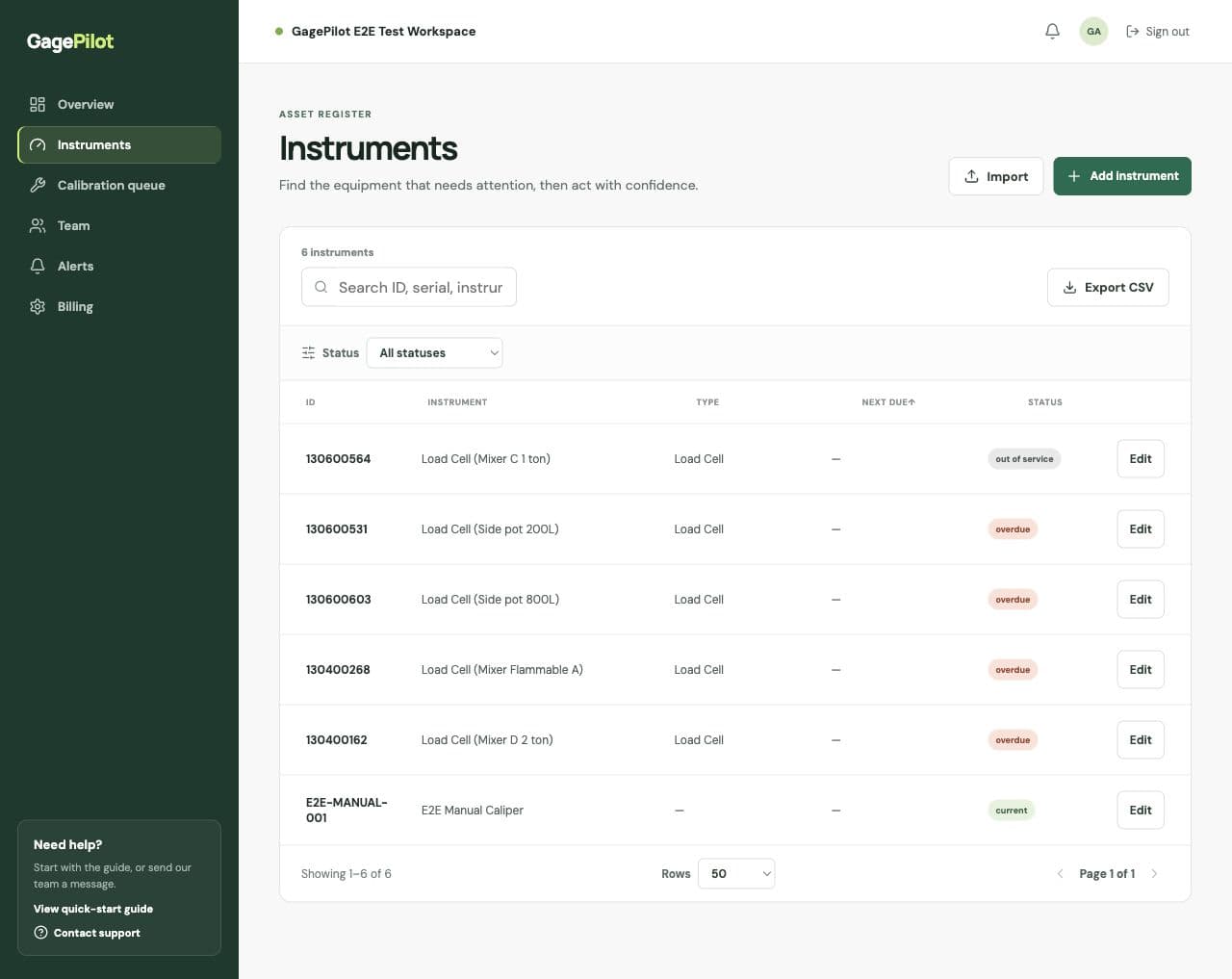
Calibration reminder software monitors the next due date in the instrument register and surfaces upcoming, due-today, overdue, and out-of-service work for the people responsible.
GagePilot combines the email summary with the live calibration queue, so a reminder leads back to the owner, location, history, and evidence needed to resolve it.
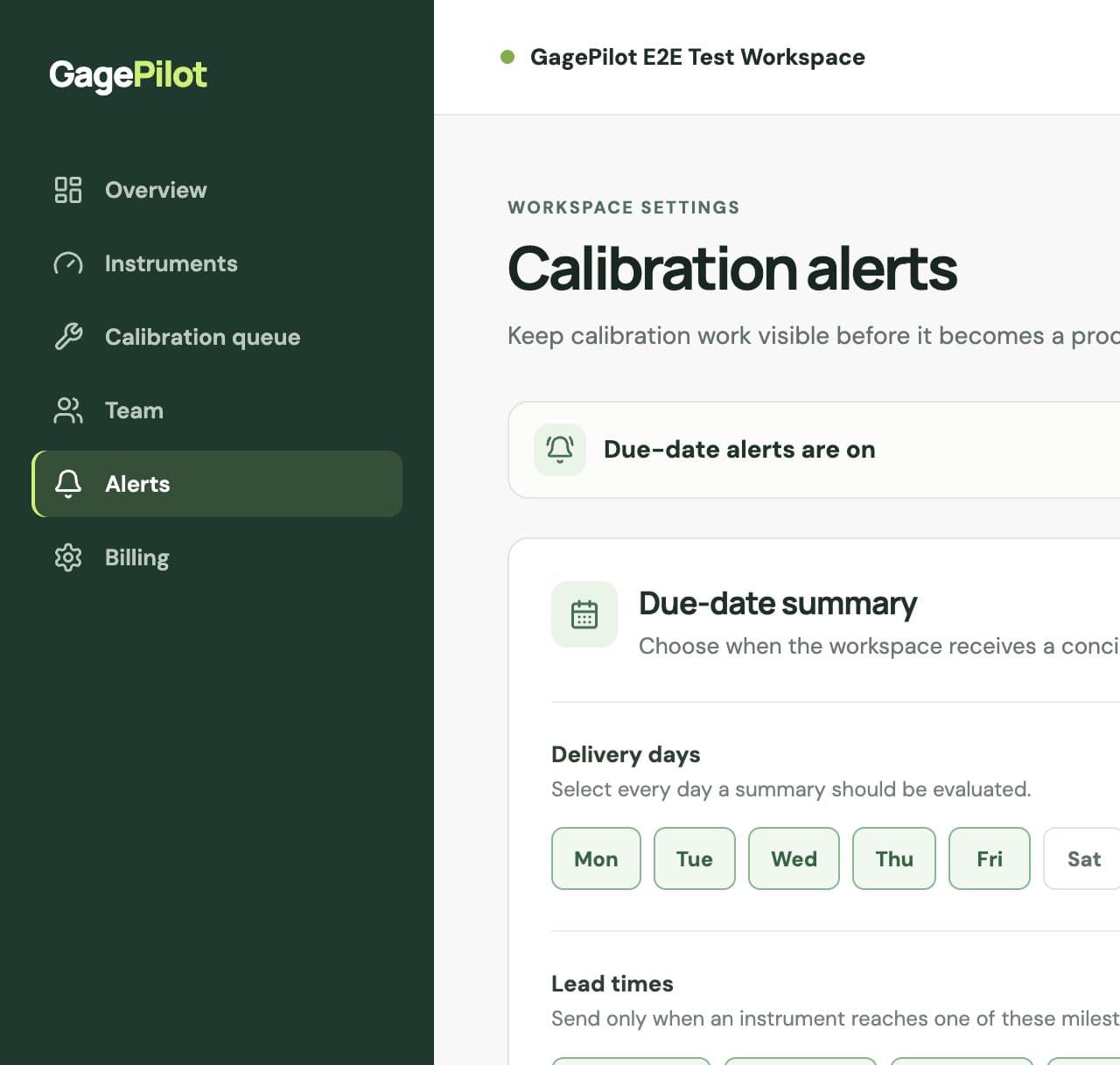
Choose milestones such as 30, 14, 7, or 1 day before calibration is due, plus the due date itself.
Select which weekdays the summary should be evaluated instead of sending noise on days the team cannot act.
Keep overdue instruments in the summary until the calibration record is completed or the status is resolved.
A failed result marks the instrument out of service and alerts the responsible people when contact details are available.
Your first steps
GagePilot is designed to show value before you have to change your process.
Import CSV or XLSX, review validation results, and fix only the rows that need attention.
Confirm intervals, owners, locations, and the dates your team uses to plan work.
Give quality, maintenance, and operations teammates a shared view of the queue.
Choose lead times and delivery days so upcoming and overdue work stays visible.
Clear ownership and control
GagePilot helps organize the calibration records your team already owns. It is software for managing evidence—not a calibration laboratory or a compliance certification.
Starting with a spreadsheet?
Use the same core fields GagePilot accepts, with due-date status and a sample register to get started.
Straightforward pricing
Up to 500 instruments, unlimited invited users, certificates, calibration records, instrument CSV export, and email support.
Common questions
Workspace owners and admins can choose multiple lead-time milestones, including 30, 14, 7, and 1 day before the due date and the due date itself.
The summary can go to workspace members, instrument assignees, and additional recipients selected by the team.
Yes. Overdue work can remain visible in each summary until the record is updated, preventing a missed date from disappearing after one notification.
No. Reminders surface the date recorded by the team. Any interval extension or due-date change should follow the organization's approved procedure and be documented in the register.