Instrument database
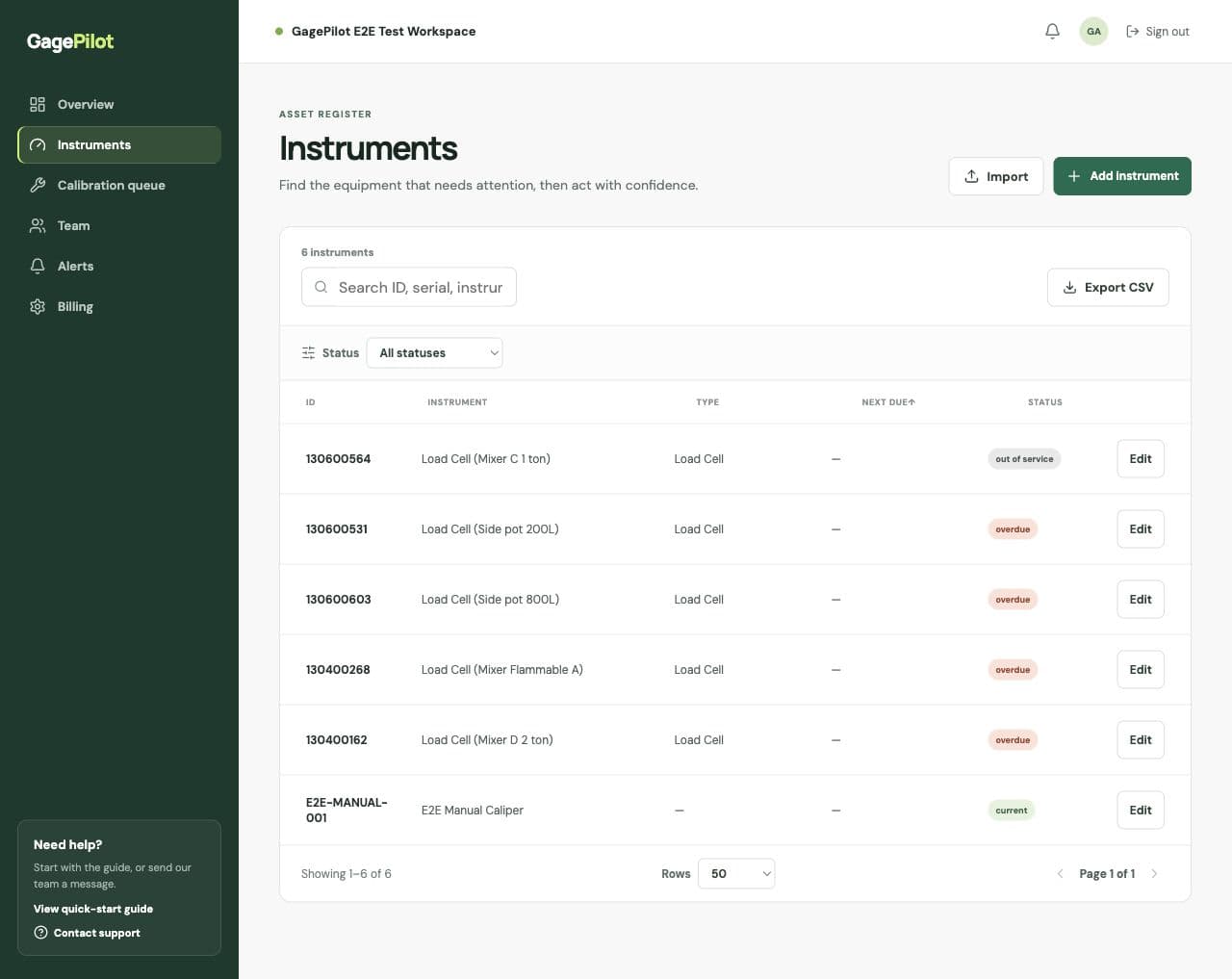
Keep asset IDs, serial numbers, owners, locations, intervals, providers, and status in a searchable calibration database.
Calibration management software
Calibration management for manufacturing quality teams working from spreadsheets. Keep due dates, certificates and reminders in one shared register.
Then $99/month · No credit card required
Start with one instrument. Import your spreadsheet whenever you’re ready.
Watch the application walkthrough ↓See the application
Actual application screens with fictional demonstration data.
No audio. The walkthrough shows:
Explore the illustrated workflow
Choose an instrument, view its example certificate reference, then explore reminders. This is a simplified illustration with fictional data, not the application interface.
3 instruments
CAL-014 · Inspection bench
Calibrated September 4, 2025
Result: Pass
See the work that matters
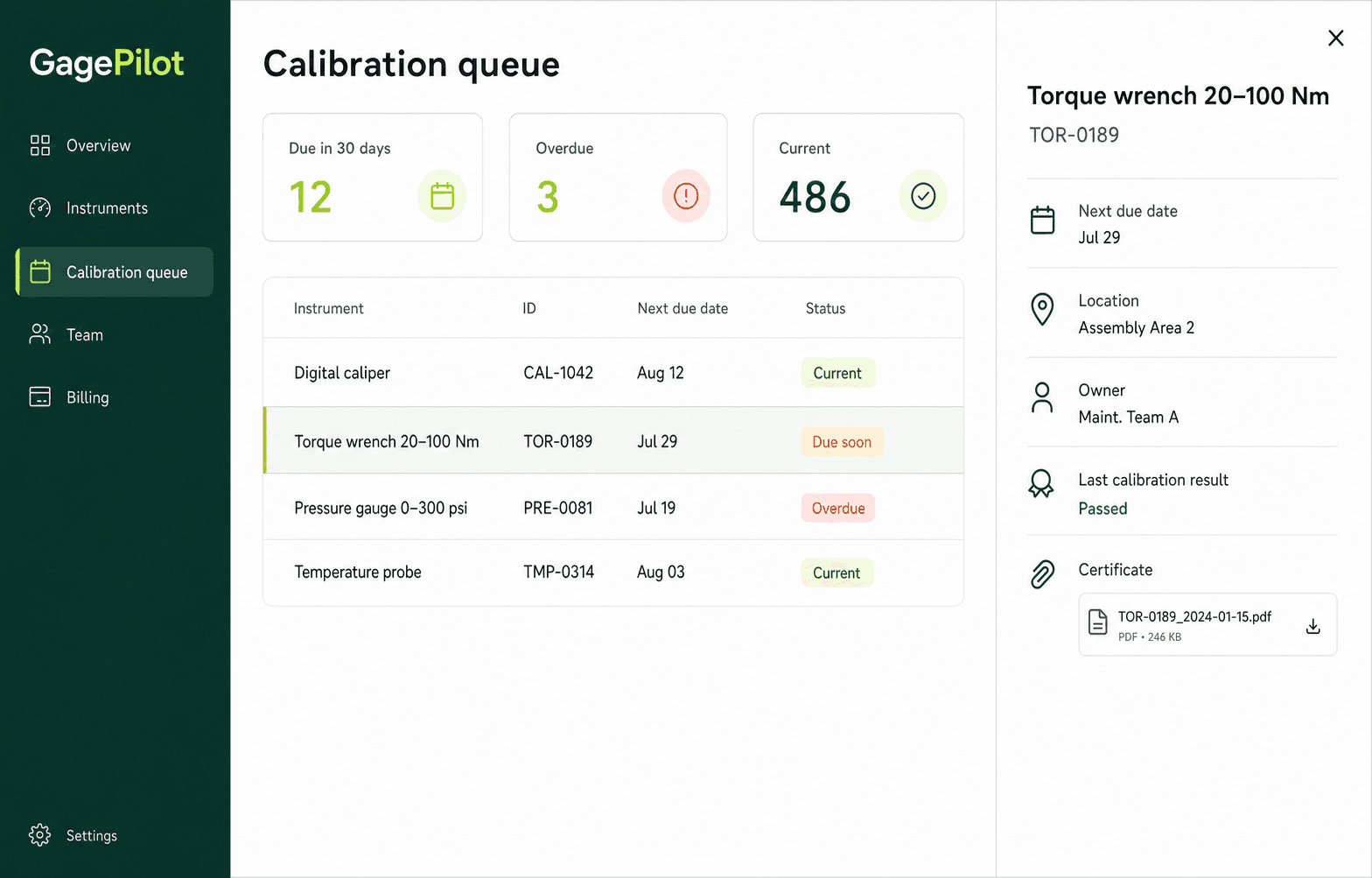
Start with your register, see what is due, and keep the calibration history and certificate with each instrument.
A focused calibration management system
Calibration management software gives an internal quality team a single record of which instruments exist, when each one is due, what happened at calibration, and where the supporting certificate is stored.
GagePilot is designed for manufacturers that have outgrown a calibration spreadsheet but do not need laboratory quoting, automated calibration procedures, or a full enterprise QMS.
Keep asset IDs, serial numbers, owners, locations, intervals, providers, and status in a searchable calibration database.
See current, due-soon, overdue, and out-of-service instruments before they interrupt production or an audit.
Record results and keep certificate files with the instrument history instead of across folders and inboxes.
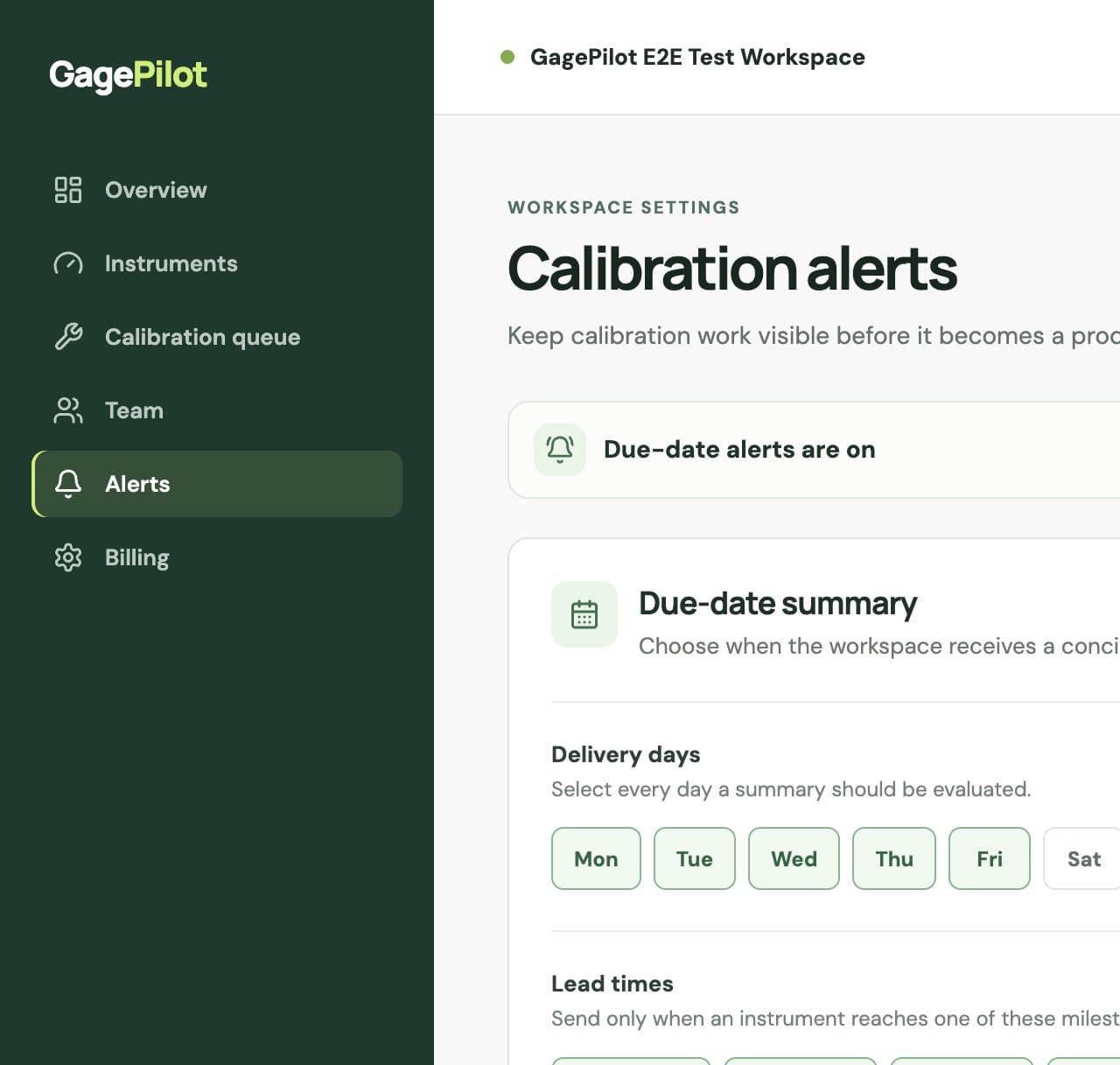
Send configurable email summaries and export the current instrument register when the team needs evidence.
Your first steps
Add one instrument now, then bring in the rest of your register when you’re ready.
Use a real asset ID, description and next calibration due date. CSV and XLSX import is available when you need it.
Confirm intervals, owners, locations, and the dates your team uses to plan work.
Give quality, maintenance, and operations teammates a shared view of the queue.
Choose lead times and delivery days so upcoming and overdue work stays visible.
Clear ownership and control
GagePilot helps organize the calibration records your team already owns. It is software for managing evidence—not a calibration laboratory or a compliance certification.
Calibration software buyer's guide
The best calibration management software for a team is the one people can adopt without giving up the records, traceability, and access its procedures require.
A hand with setup
Tell us how you track calibrations today and what you need to get started. We’ll help by email with your first instrument or CSV/XLSX import.
Straightforward pricing
Up to 500 instruments, unlimited invited users, certificates, calibration records, instrument CSV export, and email support.
Common questions
No. You can add one instrument with its ID, description and calibration schedule, then explore the workflow. Import your CSV or XLSX register whenever you are ready.
Yes. Use Get setup help to tell us about your current register and what you need help with. We will reply by email with help for your first instrument or CSV/XLSX import.
Calibration management software is a system for maintaining an instrument register, scheduling calibration work, recording results, storing certificates, tracking status, and retrieving evidence. It replaces manual reminders and disconnected files with one controlled workflow.
Yes. GagePilot imports CSV and XLSX registers and validates the core fields before adding instruments, so a quality team can start with the spreadsheet it already maintains.
GagePilot is built for internal manufacturing quality teams that manage their own instrument register and evidence. It is not a laboratory information management system and does not include lab quoting or customer work-order workflows.
No. Software cannot certify a quality system. GagePilot helps teams maintain schedules, results, certificates, histories, and exception visibility that support their approved procedures and audit preparation.
The Starter workspace is $99 per month after a 14-day trial and includes up to 500 instruments, unlimited invited users, certificates, calibration records, instrument CSV export, and email support. No credit card is required for the trial.